
What Is a Kwikset Smart Lock?
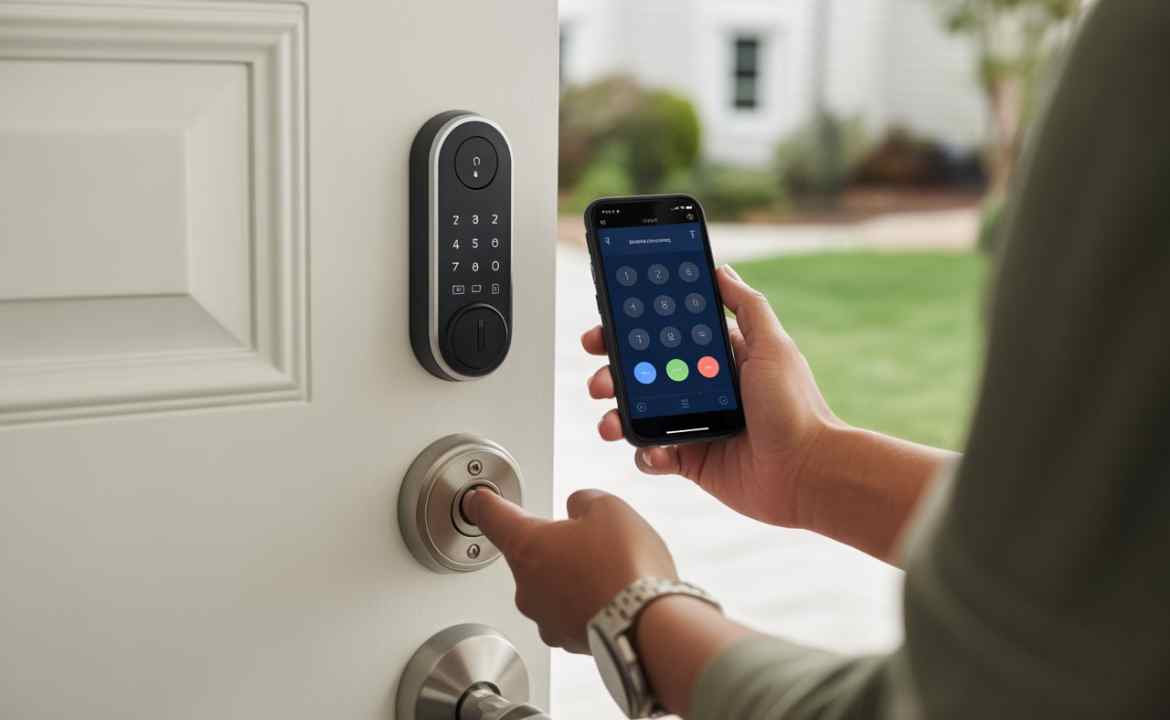
A Kwikset Smart Lock is a modern keyless entry door lock designed to replace traditional mechanical deadbolts. Instead of using physical keys every day, you unlock your door using a keypad, smartphone, or voice assistant. This intelligent smart home door lock blends convenience with protection, which explains why American homeowners and landlords increasingly install Kwikset locks.
The brand behind these locks is Kwikset, one of the most recognized names in residential security hardware across the United States. Many models feature Kwikset Smart Key Lock technology that lets you rekey the lock within seconds. This innovation means landlords can change access without replacing the entire Kwikset digital Lock deadbolt, saving time and money during tenant turnover.
| Feature | Description |
| Keyless Entry | Unlock using keypad, app, or automation |
| SmartKey Technology | Rekey the lock in seconds |
| Remote Access | Control door locks through the Kwikset Lock app |
| Activity Logs | Track entry and exit times |
| Auto-Lock | Automatically locks the door after a set time |
Key Features of Kwikset Smart Locks
When people search for reliable smart locks, they often discover the powerful features inside Kwikset locks. Most models include illuminated keypads, remote management, and advanced encryption. These features transform a normal electronic deadbolt lock into a connected security device that protects homes while simplifying access control.
Another impressive capability is the seamless integration with smartphones. Through the Kwikset Smart Lock app, property owners can generate unique entry codes, monitor activity, and lock or unlock doors remotely. Many models support Kwikset smart key locks, allowing instant rekeying if a tenant moves out. The combination of convenience and safety makes a smart lock for rental property owners extremely valuable.
| Feature | Benefit |
| Remote Control | Lock or unlock doors from anywhere |
| Temporary Access Codes | Ideal for tenants, cleaners, or guests |
| SmartKey Rekeying | Fast security updates |
| Tamper Alerts | Increased security monitoring |
Benefits of Installing a Kwikset Smart Lock in Rental Homes
Rental property owners constantly face the challenge of managing keys. A lost key can lead to expensive lock replacements and potential security risks. Installing a Kwikset Smart Lock solves this problem because landlords can instantly change access codes through the Kwikset Lock app. That simple step eliminates the need to physically replace keys.
Another major advantage is convenience for both tenants and landlords. Many renters prefer keyless entry door lock systems because they reduce the hassle of carrying keys. Property owners also gain control over security since they can monitor entry activity in real time. These advantages make Kwikset locks one of the most practical upgrades during property renovations.
A short case study illustrates the impact. A property manager in Texas installed smart locks across 20 apartments. Within a year, the maintenance team reported fewer lock change requests and improved tenant satisfaction.
| Benefit | Result |
| No physical keys | Reduced lock replacement cost |
| Remote code control | Faster tenant management |
| Entry monitoring | Better property security |
Popular Kwikset Smart Lock Models for Rental Property Renovation
One reason Kwikset smart locks dominate the American market is the wide variety of models available. Landlords renovating rental homes can choose different locks depending on budget, connectivity needs, and smart home compatibility. Many experts consider these locks reliable upgrades for a modern smart home door lock system.
Three models often appear in a detailed Kwikset Lock review because they balance security, design, and price. These include the Halo series, SmartCode locks, and the Apple-compatible Premis model. Each model delivers a strong electronic deadbolt lock with digital security.
| Model | Connectivity | Best For |
| Halo | Wi-Fi | Remote monitoring |
| SmartCode | Z-Wave | Smart home integration |
| Premis | Apple HomeKit | Apple ecosystem users |
Kwikset Halo Smart Lock
The Kwikset Halo smart lock is a premium security device built with Wi-Fi connectivity. Unlike other locks that require hubs, the kwikset halo wi fi smart lock connects directly to your home network. That design allows landlords to monitor doors remotely, receive alerts, and control entry codes instantly.
Another strong advantage of the Kwikset Halo Smart Lock is its detailed activity history. Property owners can review who unlocked the door and when it happened. This feature improves transparency and helps manage short-term rentals where guests frequently change.
How Kwikset Smart Locks Improve Rental Property Security
Security always remains a top priority for landlords. A Kwikset Smart Lock significantly strengthens property protection because it removes the risk of copied or lost keys. Traditional locks rely entirely on physical keys, while Kwikset locks use digital authentication combined with encryption.
Another advantage is automatic locking. Many models automatically lock the door after a preset period. This feature protects tenants who forget to lock the door. Landlords also benefit from activity tracking, which logs entry attempts and alerts owners if suspicious behavior occurs. These features transform the Kwikset Lock Deadbolt into a powerful home security upgrade.
Installation Guide: How to Install a Kwikset Smart Lock

Installing a Kwikset Smart Lock is surprisingly simple. Most homeowners can complete the process in under 30 minutes using only a screwdriver. The new electronic deadbolt lock replaces an existing deadbolt, so there is no need to drill additional holes in most standard doors.
The process begins by removing the old deadbolt. Next, you insert the new Kwikset Lock deadbolt, attach the exterior keypad, and secure the interior mounting plate. After installing batteries, the lock powers on and begins digital door lock setup through the Kwikset Lock app.
| Installation Step | Description |
| Remove Old Deadbolt | Unscrew and detach existing hardware |
| Install Smart Lock Deadbolt | Insert a new locking mechanism |
| Mount Keypad | Secure exterior unit |
| Connect App | Complete digital door lock setup |
Integrating Kwikset Smart Locks with Smart Home Systems
A major reason people buy a Kwikset Smart Lock is its compatibility with smart home platforms. Many models integrate smoothly with assistants such as Amazon Alexa, Google Home, and Apple HomeKit. This connectivity transforms the lock into a fully automated smart home door lock.
For example, a landlord can create automation routines where the door automatically locks at night. Voice commands can also control the system. When paired with other devices such as cameras and alarms, Kwikset digital locks become part of a larger smart security ecosystem that protects rental properties.
Maintenance and Troubleshooting Tips for Kwikset Smart Locks
Like any smart device, a Kwikset Smart Lock needs occasional maintenance. One common task involves replacing the Kwikset digital Lock battery. Most batteries last six to twelve months, depending on usage. Performing a regular Kwikset digital Lock battery change keeps the system reliable and prevents lockouts.
Sometimes users encounter problems like the Kwikset Smart Lock not working or connectivity failures. In those cases, the first step is to review the Kwikset digital Lock manual or download the Kwikset Smart Lock manual PDF from the official website. Many issues can be fixed through smart lock troubleshooting, including resetting the device or updating firmware.
| Problem | Solution |
| Kwikset Smart Lock is not working | Check battery and Wi-Fi |
| App connection failure | Restart lock and router |
| Keypad unresponsive | Perform kwikset smart lock reset |
A common fix involves performing a Kwikset Smart Lock reset. If needed, follow instructions for how to reset kwikset smart lock, enter the Kwikset digital Lock reset code, and then perform a Kwikset Smart Lock change code to restore access security.
Cost of Kwikset Smart Locks and Budget Considerations
The cost of a Kwikset Smart Lock varies depending on connectivity features and model design. Entry-level keypad locks cost less, while Wi-Fi-connected systems such as the Kwikset Halo Smart Lock cost more. However, landlords often recover the cost quickly through reduced maintenance and improved tenant satisfaction.
Most American homeowners find that Kwikset digital locks fall within a reasonable price range compared with other smart security upgrades. The table below shows typical market pricing.
| Lock Type | Average Price (USA) |
| Basic keypad lock | $80 – $120 |
| Z-Wave smart lock | $130 – $180 |
| Wi-Fi smart lock | $180 – $250 |
Are Kwikset Smart Locks Worth It for Rental Home Renovation?
Property renovation often focuses on upgrades that attract modern tenants. Installing a Kwikset digital Lock fits that goal perfectly because renters increasingly expect smart technology in their homes. A reliable smart lock for a rental property also increases property value while reducing operational headaches.
Many landlords who publish a Kwikset smart lock review report similar results. They experience easier tenant management, better security monitoring, and fewer lock replacement costs. When you combine keyless entry door lock convenience with smart automation, Kwikset digital Locks become a practical investment for modern rental properties in the United States.
